ENorth Logistics | Freight Solutions Guide
Getting an FTL freight quote used to mean phone calls, wait times, and back and forth emails. Today, shippers get accurate pricing online in minutes. ENorth Logistics makes the process fast, transparent, and built around your actual shipment needs. You save time, avoid surprises, and move freight with confidence.
This guide walks you through every step of getting an FTL freight quote online. You will know exactly what to prepare, what each field means, and how to read your quote before committing. Whether you ship weekly or are booking your first full truckload, this guide gets you moving.
Ready to get started? Request your FTL freight quote at ENorth Logistics today and get pricing in minutes.
What Is an FTL Freight Quote and Why It Matters
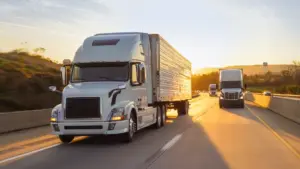
A full truckload freight quote is a price estimate for moving a shipment that fills or reserves an entire trailer. The quote reflects origin, destination, freight class, weight, dimensions, and any special handling requirements. Accurate quotes protect your budget and prevent costly adjustments at pickup or delivery.
ENorth Logistics generates FTL quotes based on real carrier data and current lane pricing. You get a rate tied to your specific shipment profile. That precision matters when you are managing tight margins or time sensitive deliveries.
Why an Accurate FTL Quote Protects Your Business
• It prevents billing disputes after delivery
• It reflects actual transit times for your lane
• It accounts for fuel surcharges and accessorial fees upfront
• It gives you a real cost basis for customer pricing and procurement
Step 1: Gather Your Shipment Details Before You Start
The quote form is only as accurate as the information you provide. Prepare your shipment data before opening the online form. You need the origin and destination postal codes, the total weight of the shipment, and the dimensions of your freight. You also need to know if any special equipment is required, such as a flatbed, refrigerated trailer, or lift gate.
ENorth Logistics quote tool is built to handle diverse freight profiles. High value cargo, hazardous materials, and oversized loads all have specific fields. Knowing your freight class ahead of time speeds up the process significantly. If you are unsure of your freight class, the platform includes a simple reference guide.
Information to Have Ready Before You Start
• Full origin and destination addresses with postal codes
• Total shipment weight in pounds or kilograms
• Pallet count and dimensions including height
• Commodity type and any hazmat or temperature requirements
• Pickup date and any delivery deadline
Step 2: Open the ENorth Logistics Online Quote Tool
Visit the ENorth Logistics website and navigate to the freight quote section. The tool is accessible without creating an account. You can get a preliminary quote as a guest. Creating a free account saves your shipment history and makes repeat bookings faster.
The interface is straightforward. You will see clearly labeled fields for each piece of shipment data. Nothing is buried in dropdown menus or requires industry jargon to complete. You can complete the form in under five minutes with your shipment details ready.
What You Will Find on the ENorth Quote Form
• Origin and destination address fields with postal code lookup
• Shipment date selector with available pickup windows
• Weight, dimensions, and pallet count entry fields
• Equipment type selector including dry van, flatbed, and reefer
• Optional fields for accessorial services
Step 3: Enter Your Freight Details Accurately
Start with the origin address. Enter the full street address or at minimum the city and postal code. Do the same for the destination. These two fields determine the lane and have the largest impact on your base rate. Double check both before moving forward.
Enter your shipment weight carefully. Underestimating weight is one of the most common causes of rate adjustments after pickup. Use a certified scale if you are unsure. ENorth Logistics quote engine accounts for fuel surcharges automatically based on current carrier tariffs. You will see those costs reflected in the final number.
Common Input Errors That Affect Quote Accuracy
• Using estimated rather than verified shipment weight
• Skipping the freight class field and leaving it as default
• Entering city only without postal code on cross border shipments
• Forgetting to add accessorial services like inside delivery or appointment windows
Step 4: Select Equipment and Service Options
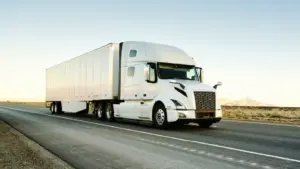
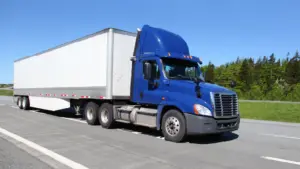
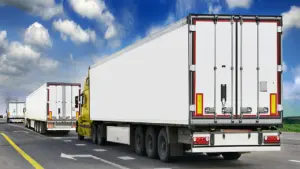
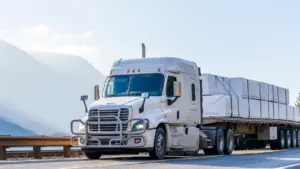
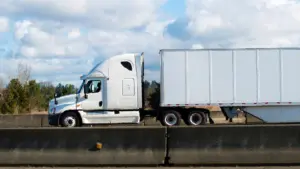
Choose the trailer type that matches your freight. Dry van covers most general cargo. Flatbed suits machinery, building materials, and oversized freight. Refrigerated trailers are available for food, pharma, and temperature sensitive products. Selecting the wrong equipment type produces an inaccurate quote and delays your shipment.
ENorth Logistics also lets you add service options at this stage. Liftgate service, residential delivery, inside delivery, and scheduled appointment windows are all selectable. Each adds a corresponding line item to your quote so you see the full cost before committing. You are not discovering extra charges after the fact.
Equipment Options Available Through ENorth Logistics
• Dry van for standard palletized and boxed freight
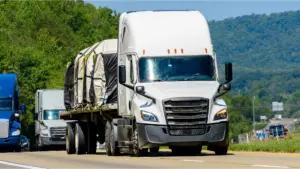
• Flatbed for machinery, steel, lumber, and oversized loads
• Refrigerated trailer for food, beverages, and temperature controlled goods
• Step deck and lowboy for height restricted or heavy haul freight
Need specialized equipment? Contact ENorth Logistics to discuss flatbed, reefer, or heavy haul options for your next shipment.
Step 5: Review Your Quote Before Submitting
Your quote summary appears before you confirm anything. Review the origin and destination, the total weight, the selected equipment, and every line item charge. ENorth Logistics breaks costs into base rate, fuel surcharge, and any accessorial fees you selected. Each component is visible and labeled.
Pay attention to the transit time estimate shown on the quote. It reflects realistic delivery windows for your lane based on current carrier performance data. If your shipment has a hard deadline, verify the transit time before booking. You can request an expedited option if standard transit does not meet your timeline.
What Your ENorth Logistics Quote Summary Includes
• Base rate for the lane and equipment type
• Fuel surcharge calculated at current rates
• Itemized accessorial fees for selected services
• Estimated transit time in business days
• Quote validity window so you know how long the rate holds
Step 6: Book or Save Your Quote
Once you are satisfied with the quote, you can book directly from the summary page. ENorth Logistics confirms your booking with a reference number and triggers the carrier assignment process immediately. You receive a booking confirmation by email with all shipment details and next steps.
If you are not ready to book, save the quote to your account. Saved quotes are accessible for the validity period noted on the summary. You can return and book when your shipment is ready. You can also export the quote as a PDF for internal approvals or procurement records.
What Happens After You Book With ENorth Logistics
• You receive a booking confirmation with a unique reference number
• A carrier is assigned and you receive driver and vehicle details
• Pickup scheduling confirmation is sent to the origin contact
• Shipment tracking becomes active as soon as the carrier accepts
Book your FTL shipment now at ENorth Logistics and get same day carrier confirmation on most lanes.
Frequently Asked Questions
How long does it take to get an FTL freight quote from ENorth Logistics?
The online quote tool generates pricing in under two minutes once you enter your shipment details. Complex shipments requiring special equipment or cross border routing may take slightly longer if a carrier specialist reviews the request.
Does getting a quote commit me to a booking?
No. Generating a quote through ENorth Logistics is completely non committal. You only confirm a booking when you select Book Now on the quote summary page. You can generate multiple quotes and compare options without any obligation.
What if my freight does not fit a standard trailer?
ENorth Logistics supports oversized, heavy haul, and non standard freight. Select the appropriate equipment type in the quote form. If your load exceeds standard parameters, a freight specialist will contact you to confirm the right equipment and provide an accurate rate.
How long is the FTL quote valid?
Quote validity is displayed on every summary page. Most standard lane quotes remain valid for 24 to 72 hours depending on market conditions. Fuel surcharge adjustments can affect rates beyond the validity window. Book within the window to lock in the displayed rate.
Can I track my shipment after booking through the quote tool?
Yes. All shipments booked through ENorth Logistics include real time tracking from pickup to delivery. You receive tracking updates by email and can monitor status directly in your account dashboard. The tracking link is included in your booking confirmation.